
Restaurant inventory management Inventory that knows your recipes.
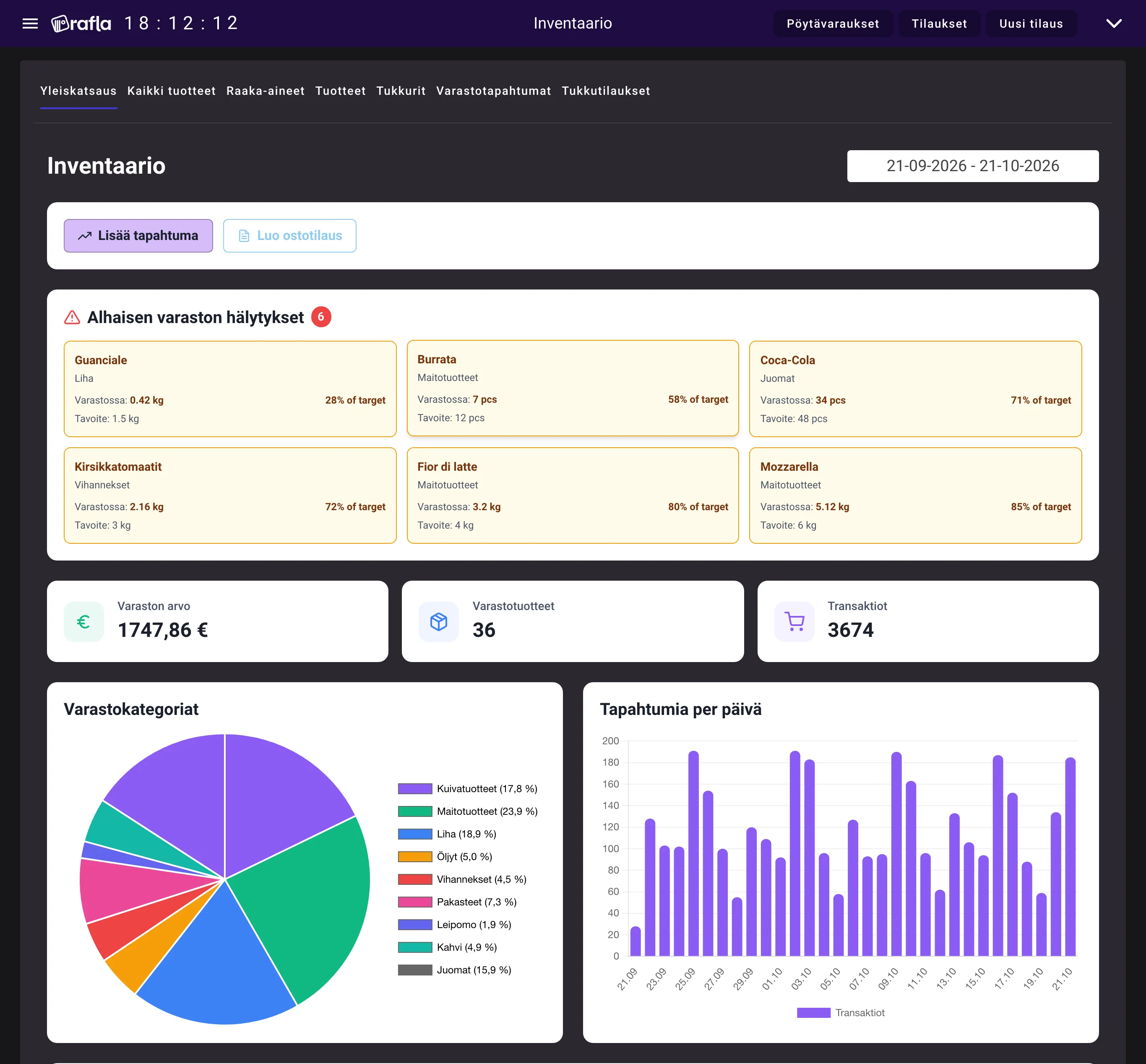
When a pizza sells, the ingredients are deducted automatically. You see what is left and what to reorder.
- Recipe-based tracking
- PDF purchase orders to suppliers
- Margin per product
- 01
No overselling
Reserved stock is calculated in real time, so you never sell a dish you cannot make.
- 02
Reordering made easy
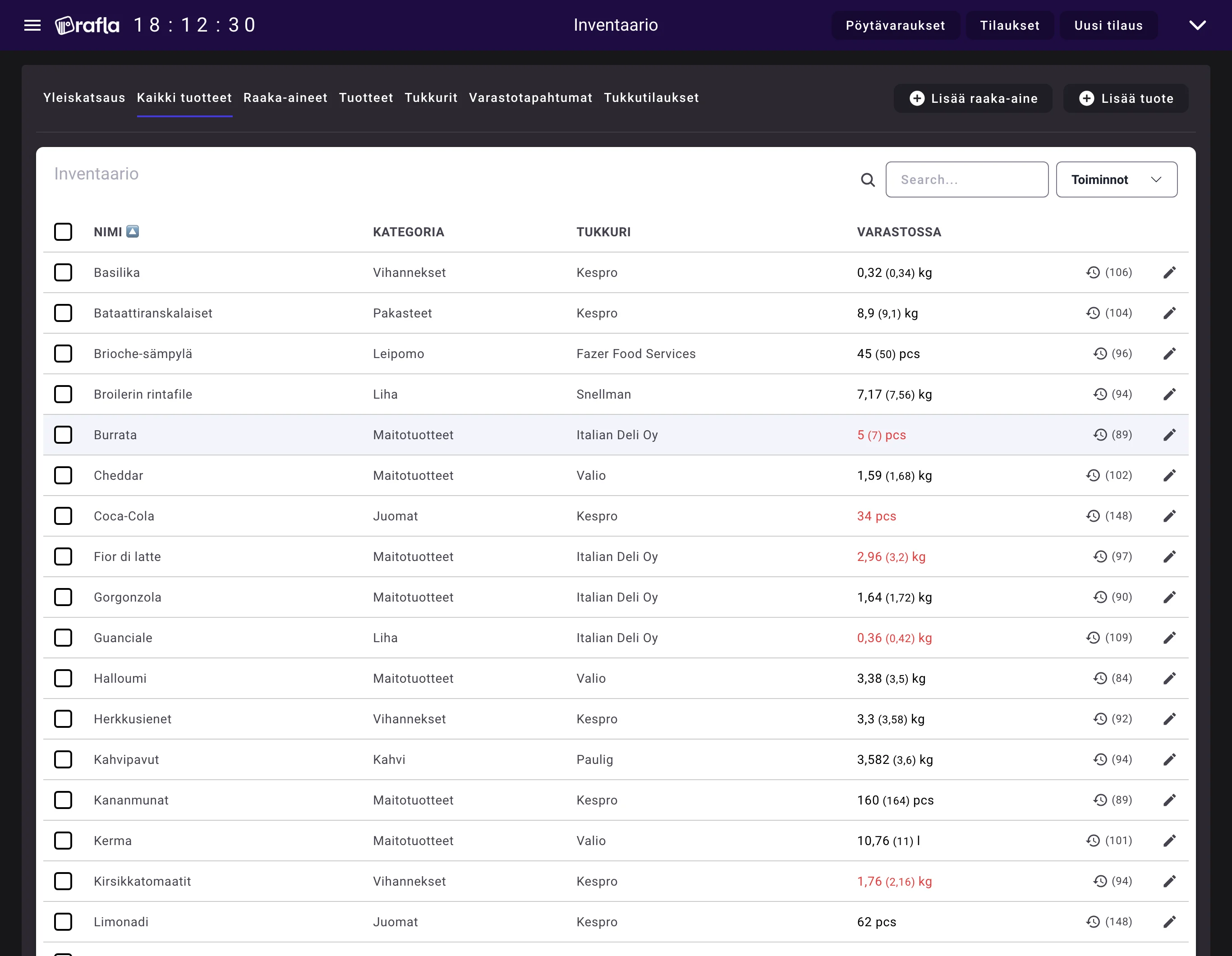
Set reorder levels and low stock rises to the top. Purchase orders go to suppliers by email.
- 03
Know where the money goes
See the ingredient cost and margin of every product.
- Stock update
- <1 s
- Purchase orders straight to suppliers
- Dishes oversold
- 0
All features
- Recipe-based tracking
- Reserved stock
- Supplier management
- PDF purchase orders
- Complete transaction history
- Bulk operations
- Reorder thresholds
- Cost tracking
Frequently asked questions
How does recipe-based inventory work?
When you create a product (e.g., Pizza Margherita), you specify which ingredients it uses and how much (200g cheese, 150ml sauce). When a customer orders the pizza, Rafla automatically deducts these quantities from inventory. Modifiers (gluten-free crust, extra cheese) are handled intelligently by substituting or adding ingredients.
What is reserved stock and why is it important?
Reserved stock shows how much ingredients are already promised to future orders. If you have 10kg of cheese and 5 pending orders use 3kg, you have 7kg available. This prevents overselling – the system won't accept new orders if there's no available stock. This means you never have to tell a customer 'sorry, we're out' after they've already paid.
Can the system handle modifiers and special requests?
Yes. Rafla handles modifiers intelligently: • 'No onions' = don't deduct onion • 'Extra cheese' = deduct 2× cheese quantity • 'Gluten-free crust' = substitute regular crust with gluten-free crust automatically Everything is calculated in real-time, no manual intervention needed.
How do supplier orders work?
Rafla provides a 6-stage order workflow: 1. Draft: Create order by selecting ingredients 2. Preview: See professional PDF 3. Send: Send PDF via email directly to supplier 4. Confirmed: Mark when supplier confirms 5. Arrived: Record actual received quantities 6. Done: Update inventory All events are timestamped and stored in historical archive.
Do I see actual ingredient costs?
Yes. Each ingredient has a price per unit (e.g., cheese €12/kg). Rafla automatically calculates a 'virtual price' for each product by summing its ingredient costs. You see real margin: Selling price €12 - Virtual price €3.20 = 73% margin. This helps you understand which products are profitable and which aren't.
Does inventory work offline?
No. Rafla's inventory requires an internet connection for real-time synchronization across all devices. This ensures kitchen, POS, and webshop always see the same, accurate stock levels. Without internet, you can't place orders or update inventory, but you can review previously loaded data.
Your restaurant can be on Rafla today.
Try it for free or book a demo and we'll show you how Rafla works in your restaurant.