
Kitchen display system (KDS) Every order on one screen.
Orders from the POS, webshop and table reservations reach the kitchen in real time. No lost tickets, no shouting.
- Works on phones, tablets and screens
- Different sounds for orders and reservations
- Show only what the kitchen makes
- 01
Clear cooking order
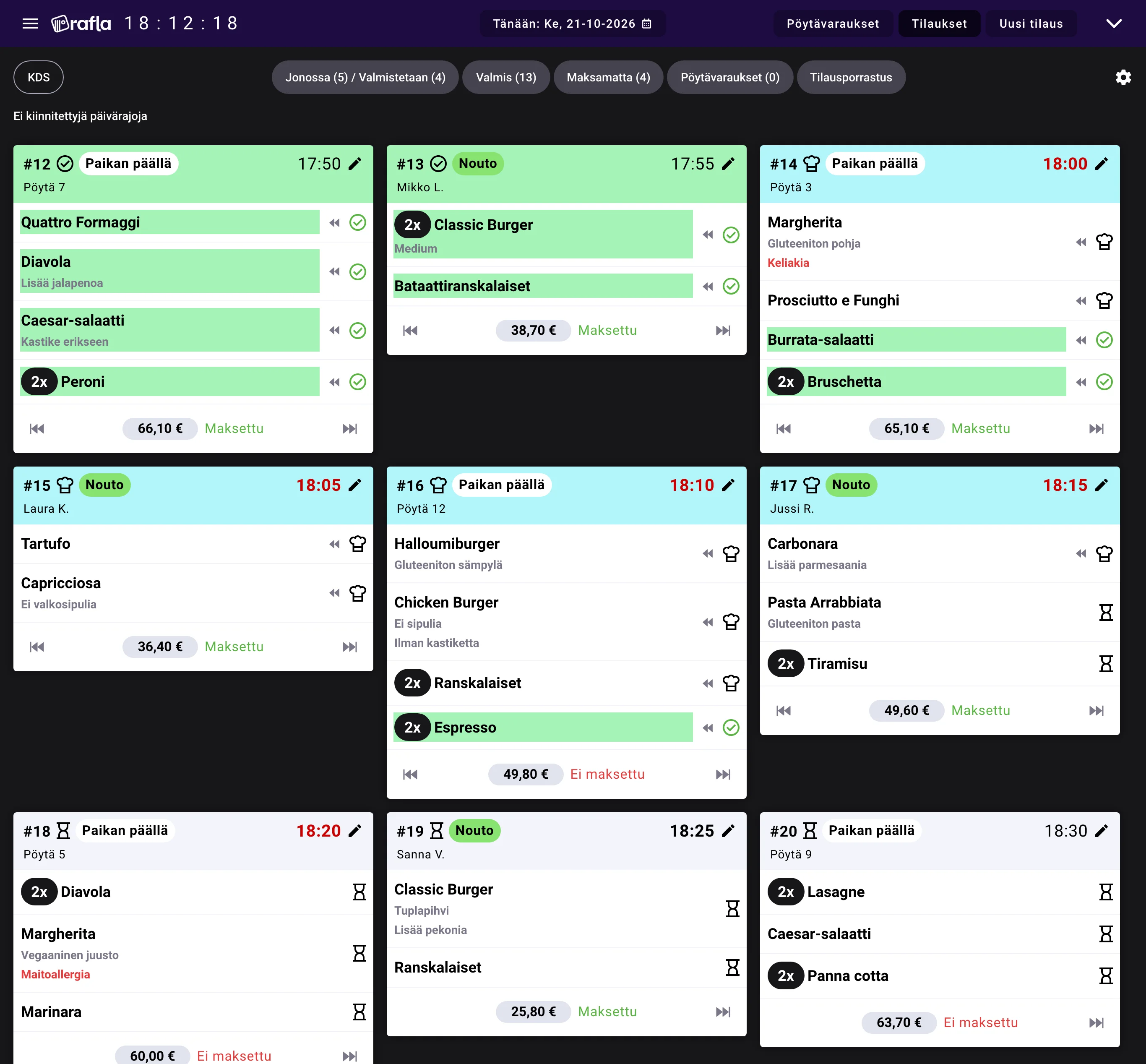
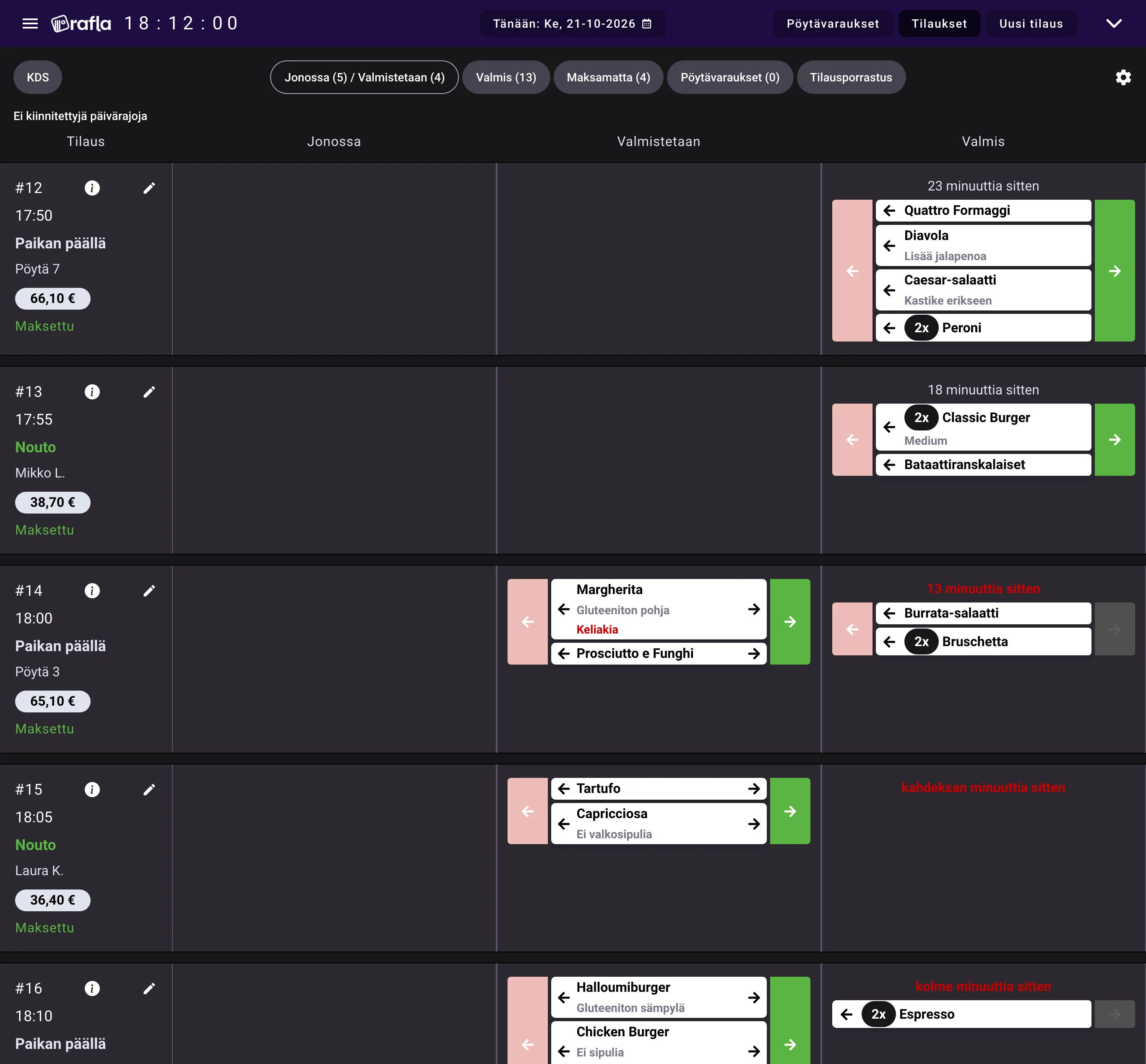
Orders appear as cards sorted by ready time, and the status of every dish is visible at a glance.
- 02
No overload
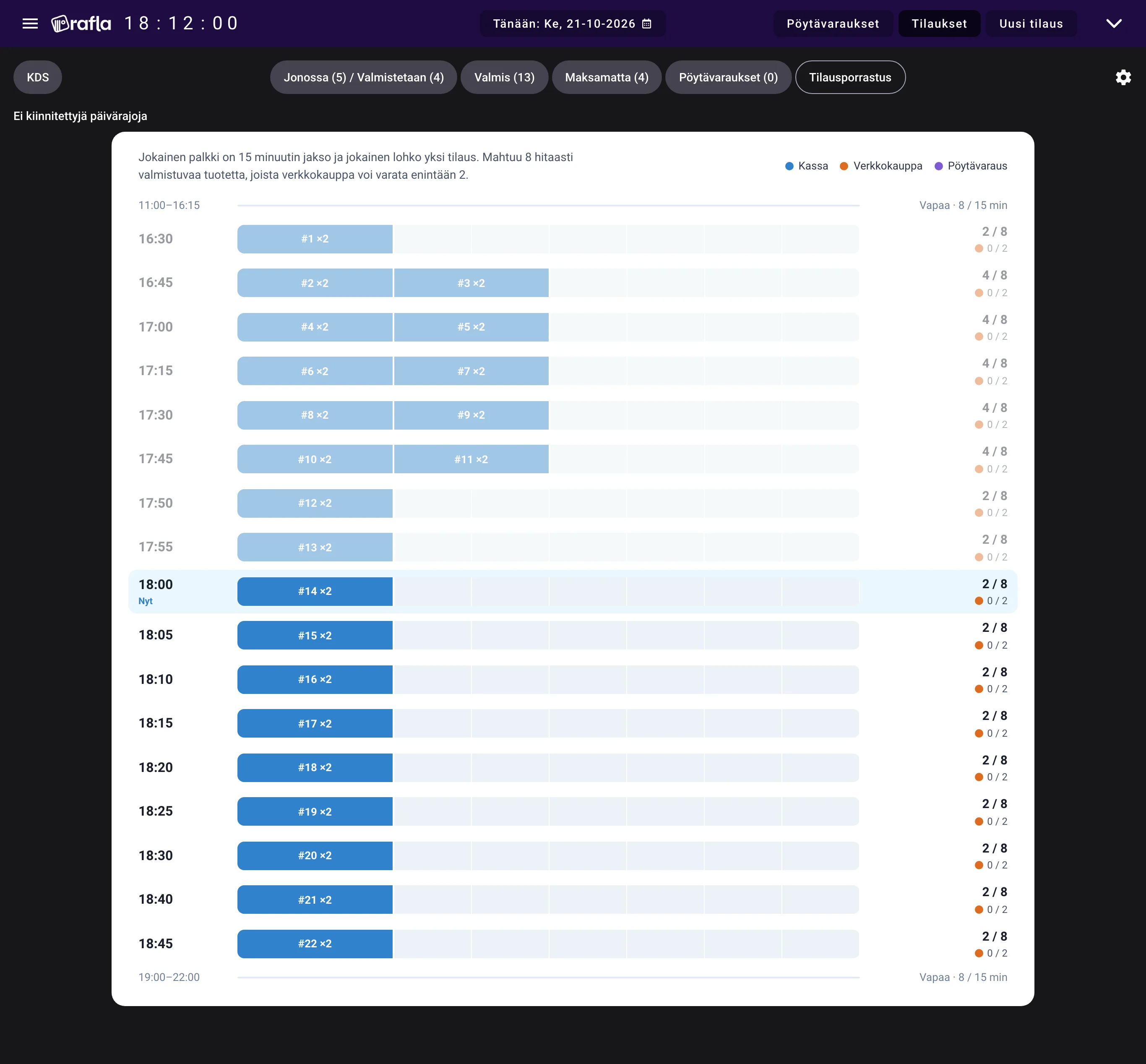
Order pacing stops too many orders from piling up at the same time.
- 03
As many screens as you need
Place displays around the kitchen and the floor. Drinks and other items can be hidden from the kitchen view.
- Update to kitchen
- <1 s
- Paper tickets
- 0
- Setup
- 10 min
All features
- Real-time sync
- Use anywhere
- Smart filtering
- Multiple views
- Item-level tracking
- Sound alerts
- Mobile-optimized
- Historical view
- SMS notifications
Frequently asked questions
What happens to paper order chits?
You don't need them. All orders are digital and tracked in KDS.
Can I see orders from multiple sources?
Yes. Webshop, POS, and table reservations all appear in one unified view.
What if internet connection drops?
KDS requires internet. However, orders already on screen remain visible (read-only). When connection returns, full sync resumes.
Can I filter what kitchen sees?
Yes. Hide drinks, desserts, or any item type you don't want kitchen to see.
Does it work on phone?
Yes. Fully responsive – works on phone, tablet, or large monitor.
Can I see yesterday's orders?
Yes. Navigate to any day (past or future) to review historical orders.
Do I need special hardware?
No. Any device with a web browser works. Optional: payment terminal for integrated charging.
How does order pacing relate to KDS?
KDS respects capacity limits. Orders are accepted only when kitchen has capacity. Prevents kitchen overload during rush.
Your restaurant can be on Rafla today.
Try it for free or book a demo and we'll show you how Rafla works in your restaurant.